WordPress block themes have transformed the way we build websites. With Full Site Editing (FSE), you can customize every part of your site, from headers and footers to templates and global styles, all using the familiar block editor. No coding required.
But with hundreds of WordPress block themes available, choosing the right one can be overwhelming. We’ve tested and compared the best options to help you find the perfect theme for your site.
In this guide, we’ll cover the best WordPress block themes for full site editing in 2026, including free and premium options for blogs, business sites, WooCommerce stores, and portfolios. We’ve evaluated each theme based on design quality, number of patterns, performance, WooCommerce support, and overall value for money.
Whether you’re building your first WordPress site or migrating from a classic theme, this guide will help you find the right block theme for your project. Let’s start with a quick comparison table, then dive into detailed reviews of each theme.
Quick Comparison: Best WordPress Block Themes at a Glance
Here’s a quick overview of our top picks. Click any theme name to jump to the full review below.
| Theme | Price | WooCommerce | Patterns | Best For |
|---|---|---|---|---|
| Ona | Free / $69/yr | Yes | 145+ | Multi-purpose, WooCommerce, blogs |
| Twenty Twenty-Five | Free | Basic | 70+ | Beginners, blogs, personal sites |
| Kadence | Free / $69/yr | Yes | 100+ | Business, eCommerce, agencies |
| Frost | Free | Basic | 20+ | Minimalist sites, personal brands |
| Twenty Twenty-Four | Free | Basic | 56 | Small business, portfolios |
| Bricksy | Free / $69/yr | Yes | 110+ | Lifestyle blogs, creatives |
| Tove | Free | No | 30+ | Restaurants, cafes, creative sites |
| Spectra One | Free | Yes | 25+ | Blogs, portfolios, businesses |
| Prime FSE | Free | Yes | 52+ | Business websites |
| Ollie | Free / Premium | Yes | 50+ | Portfolios, blogs, SaaS |
| Neve FSE | Free / Premium | Yes | 30+ | Agencies, freelancers |
| Raft | Free | Yes | 20+ | Multi-purpose sites |
| Blockpress | Free | Yes | 30+ | WooCommerce, blogs |
| Catch FSE | Free | No | 12+ | Corporate, business sites |
| Jaxon | Free | Yes | 20+ | WooCommerce, business |
| eStory | Free | No | 25+ | Blogs, magazines |
| Inspiro Blocks | Free | No | 20+ | Photographers, creatives |
| Björk | Free | No | 15+ | Minimalist blogs, portfolios |
| Aino | Free | Yes | 20+ | Creative portfolios |
What is the Difference Between Classic Themes and Block Themes?
Before diving into our list, it’s important to understand the key differences between classic WordPress themes and block themes.
Classic themes use PHP template files and the WordPress Customizer for styling. They often depend on page builder plugins like Elementor or Divi for advanced layouts.
Block themes use HTML-based templates, the theme.json configuration file, and the WordPress Site Editor for full customization. Everything is built with blocks, giving you complete control over every part of your site without any extra plugins.
The WordPress block editor (also known as Gutenberg) has been the default editor since December 2018. Block themes take this further by making the entire site editable through blocks.
Here’s a quick comparison:
| Feature | Classic Themes | Block Themes |
|---|---|---|
| Customization | Customizer + page builders | Site Editor (built-in) |
| Templates | PHP files | HTML files with blocks |
| Header/Footer editing | Limited (widgets or page builder) | Full block editor control |
| Performance | Often heavy (page builder scripts) | Lightweight (no extra scripts) |
| Future compatibility | Being phased out | WordPress core direction |
| Learning curve | Varies by page builder | Same block editor everywhere |
What is WordPress Full Site Editing (FSE)?
WordPress full site editing is a feature that allows you to customize your entire website using blocks. This includes not just the content areas, but also headers, footers, sidebars, navigation menus, and other structural elements.
With FSE, you can create unique layouts and designs without any coding knowledge. Simply open the Site Editor from Appearance > Editor, and you can modify any template or template part visually.
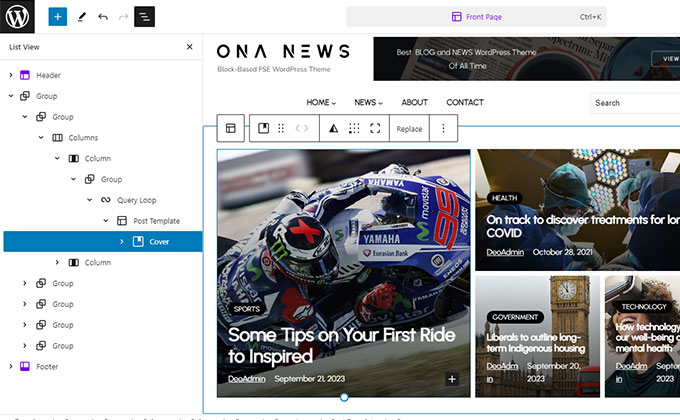
When the site editor was first introduced, many users were skeptical. A few years later, the consensus has shifted. Full site editing has matured into a powerful design system, and many developers now consider it a viable replacement for traditional page builders.
Whether you prefer it or not, full site editing is here to stay as part of WordPress core. Choosing a great block theme is the best way to take advantage of it.
Block Themes vs Page Builders: Which Should You Choose?
One of the most common questions we hear is whether to use a block theme with the built-in Site Editor or stick with a page builder like Elementor or Divi. Here’s a quick comparison to help you decide.
Block themes are built into WordPress core. They don’t require any extra plugins, load faster because they don’t add JavaScript-heavy page builder scripts, and are guaranteed to be compatible with future WordPress updates. The Site Editor improves with every WordPress release, and the pattern library continues to grow.
Page builders like Elementor and Divi offer more visual design controls and a wider range of pre-built widgets. They’ve been around longer and have larger template libraries. However, they add significant overhead to your site’s loading time and can create dependency issues if you ever want to switch themes.
For most new WordPress sites in 2026, we recommend starting with a block theme. The Full Site Editor has matured significantly, and block themes offer better performance, cleaner code, and future-proof compatibility. If you need advanced design features that the block editor doesn’t yet support, a page builder is still a valid option, but the gap is narrowing with every WordPress update.
The good news is that some themes, like Kadence, support both approaches. You can use the built-in block editor for most of your site and add a page builder for specific pages where you need extra design flexibility.
What to Look for in a Block Theme
When selecting a block theme for full site editing, there are several key factors to consider:
Block Patterns
Block patterns are pre-designed layouts made of blocks. Think of them as Lego pieces you can snap together to build pages quickly. A good block theme should include dozens of patterns for common sections like hero areas, feature grids, testimonials, pricing tables, and call-to-action sections.
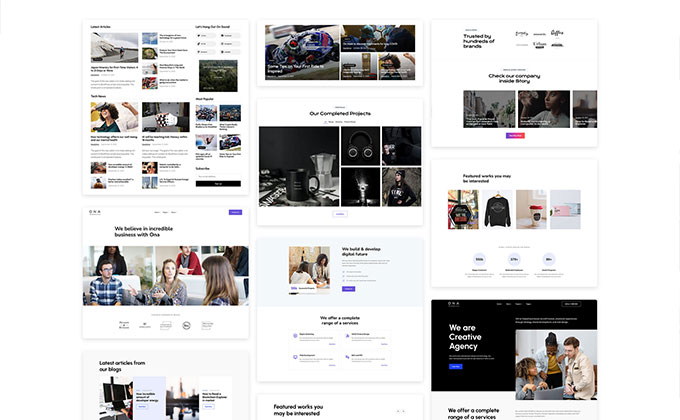
Don’t like a section on your page? Swap it for a different pattern in a few clicks. The more patterns a theme offers, the more design flexibility you have without starting from scratch.
Look for themes that offer patterns across multiple categories: headers, footers, hero sections, about sections, team displays, testimonial carousels, pricing tables, FAQ sections, contact forms, and blog post layouts. A theme with 50+ well-designed patterns will cover virtually every page layout you’ll ever need.
Style Variations
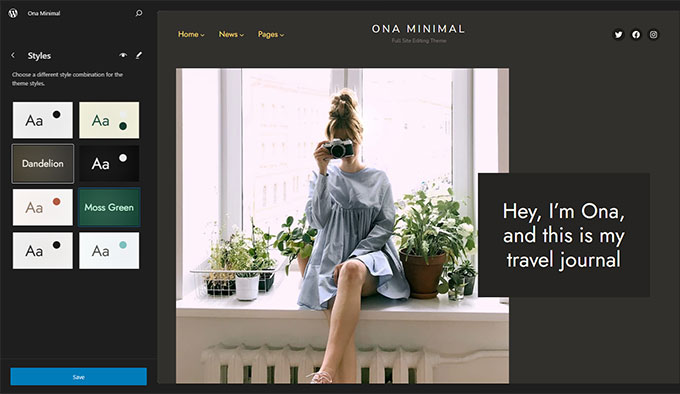
Style variations (also called color schemes) let you change the entire look of your site with one click. Each variation includes a different color palette, typography pairing, and sometimes layout adjustments.
Navigate to Appearance > Editor > Styles to switch between variations. It’s the fastest way to give your site a completely new look without changing any content.
Child Themes and Starter Sites
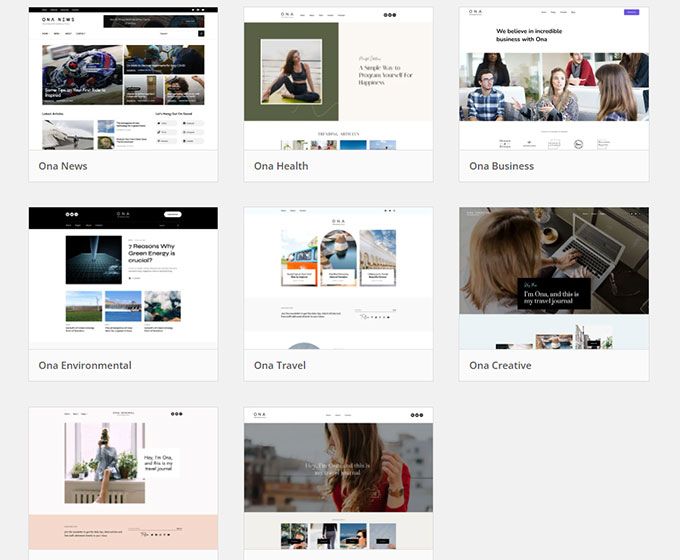
Many block themes include child themes or starter site templates that transform the base theme into completely different designs. For example, Ona comes with 14+ child themes, each with unique colors, fonts, and layouts. This means you can build a blog, portfolio, eCommerce store, or magazine site with just one theme.
Plugin Compatibility
Make sure your chosen block theme works with the plugins you need. If you plan to sell products, check for WooCommerce compatibility. For SEO, look for themes that work well with RankMath or Yoast. Some block themes include built-in functionality that can replace certain plugins entirely.
Also consider companion plugins. Some block themes work best with their own block plugin (like Raft with Otter Blocks, or Aino with Aino Blocks). These companion plugins add extra block types and patterns designed specifically for the theme, extending its capabilities without adding unnecessary bloat.
Performance
One of the biggest advantages of block themes over classic themes is performance. Since block themes don’t load heavy page builder scripts, they tend to be faster and lighter. Look for themes that prioritize clean code, minimal CSS, and optimized loading.
Google uses page speed as a ranking factor through Core Web Vitals. A fast WordPress theme can directly impact your search rankings and user experience. Block themes typically score higher on PageSpeed Insights than classic themes loaded with page builder plugins, because they generate cleaner HTML and load fewer scripts.
Best WordPress Block Themes for Full Site Editing
Now let’s explore the best WordPress block themes available in 2026, handpicked for quality, features, and ease of use.
1. Ona
Best for: Multi-purpose websites, WooCommerce stores, blogs, portfolios
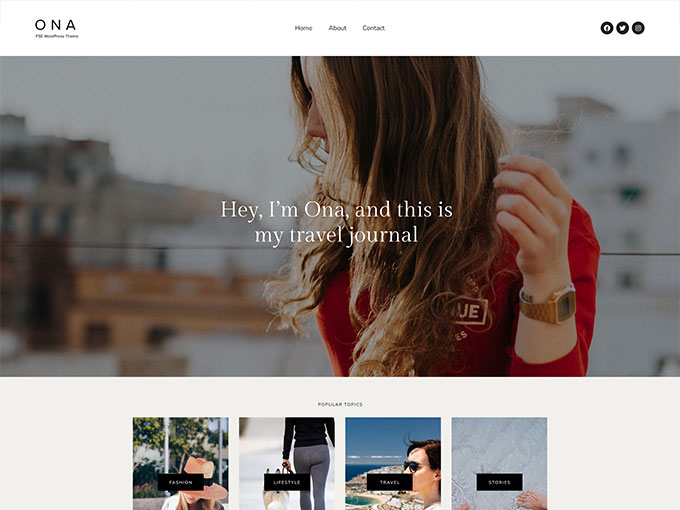
Ona is a versatile full site editing WordPress block theme designed with a focus on elegance and simplicity. It combines a clean, minimalist design with deep customization options, making it one of the most complete block themes available today.
What sets Ona apart is the sheer number of pre-designed patterns. The free version includes 66+ block patterns, while Ona Pro offers over 145+ patterns covering every section type you might need: hero areas, feature grids, testimonials, pricing tables, team sections, and more.
Ona includes 14 child themes, each designed for a specific niche. Whether you’re building a personal blog, a corporate website, an online store, or a creative portfolio, there’s a pre-built starting point ready for you. Each child theme comes with its own color palette, typography, and layout optimized for that use case.
The theme offers 8 built-in color schemes including light, dark, and accent variations. WooCommerce integration is built in, so you can set up an online store with product listings, shopping carts, and checkout pages that match your site’s design.
Ona is fully responsive, lightweight, and optimized for speed. It works seamlessly with the WordPress Site Editor, giving you complete control over your site’s appearance without writing any code.
Key features of Ona:
- 14 child themes for different niches
- 145+ block patterns (Pro)
- 8 color schemes with one-click switching
- Full WooCommerce integration
- Lightweight and optimized for speed
- One-click demo import with setup wizard
Price: Free version available on WordPress.org. Ona Pro starts at $69 per year for 1 site and includes WooCommerce support, all 14 child themes, and the full pattern library.
2. Twenty Twenty-Five
Best for: Beginners, bloggers, personal websites
Twenty Twenty-Five is the latest default WordPress theme, shipped with WordPress 6.7. As an official WordPress theme, it showcases the full power of the block editor and Full Site Editing without any third-party dependencies.
The theme emphasizes simplicity and adaptability. It includes 16 style variations covering different color palettes and typography pairings such as Evening, Midnight, Sunrise, and Dusk. This gives you plenty of options for creating a unique look right out of the box.
With 70+ pre-built block patterns, Twenty Twenty-Five supports a wide range of page types including blogs, portfolios, business pages, and online magazines. It also includes international typography support with diverse font pairings and accessibility-ready markup.
As a core WordPress theme, you can count on it being regularly updated and fully compatible with the latest WordPress features. It’s the ideal starting point if you want a reliable, no-cost theme that works perfectly with Full Site Editing.
Key features of Twenty Twenty-Five:
- 16 style variations with unique color and typography pairings
- 70+ block patterns for various content types
- Built from the ground up as a pure block theme
- Accessibility-ready with RTL and translation support
- 1+ million active installs
Price: Free (included with WordPress core).
3. Kadence
Best for: Businesses, eCommerce stores, agencies
Kadence by StellarWP is one of the most popular WordPress themes with over 400,000 active installs and a near-perfect 4.9/5 rating. It’s a performance-first theme with a built-in drag-and-drop header and footer builder and an extensive starter template library.
The theme balances lightweight code with deep customization. It includes a global design system with 9 customizable color palette slots and responsive fluid typography. The header builder supports mega menus, dropdown animations, and mobile drawer navigation.
Kadence has one of the strongest WooCommerce integrations among block themes, with product gallery options, cart functionality, and shop-optimized layouts. It also integrates with LearnDash and LifterLMS for creating online course websites.
The starter template library includes dozens of professionally designed sites you can import with one click. The Pro version adds AI-powered site generation, advanced design controls, and A/B testing capabilities.
With over 400,000 active installs, Kadence has one of the largest user communities among WordPress themes. This means plenty of tutorials, forum discussions, and third-party resources are available if you need help. For agencies managing multiple client sites, Kadence’s flexibility and extensive template library make it a strong choice for building different sites from a single theme.
Key features of Kadence:
- Drag-and-drop header and footer builder with mega menu support
- Global design system with 9 color palette slots
- Deep WooCommerce and LMS integration
- Extensive starter template library with AI generation
- Performance-first: no jQuery dependency, optimized CSS delivery
Price: Free version available. Kadence Pro starts at $69 per year for 3 sites. Lifetime plans available from $899.
4. Frost
Best for: Minimalist sites, personal brands, freelancers
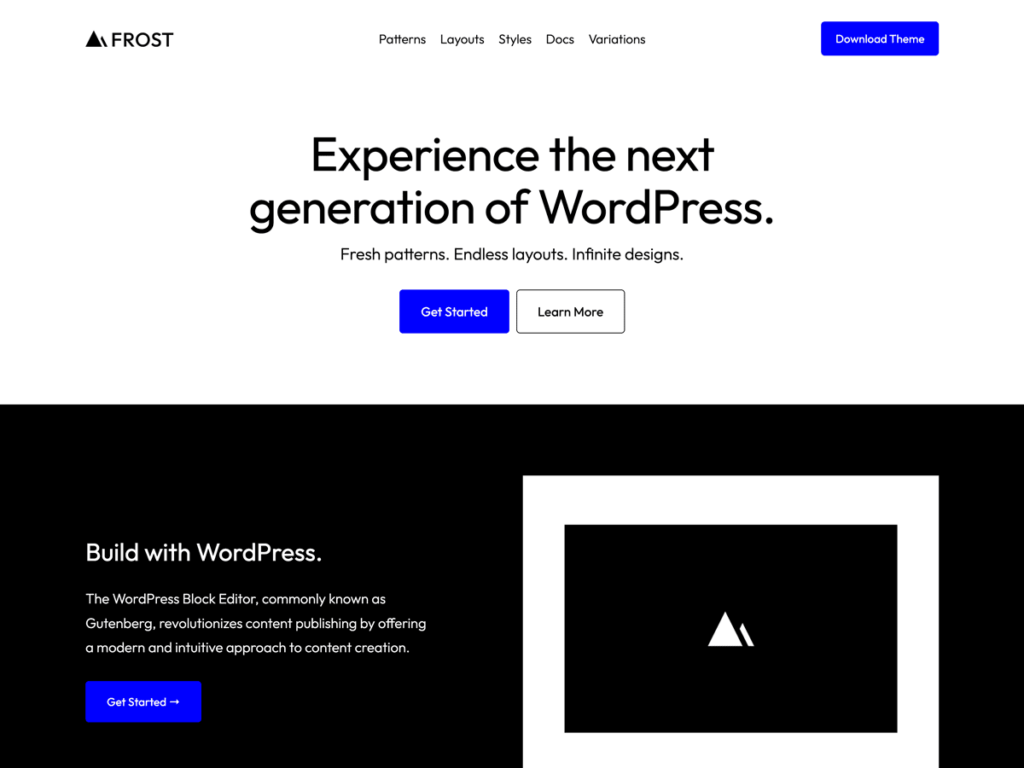
Frost is a minimalist WordPress block theme that embodies the principle of “less is more.” Designed to offer a clean, uncluttered canvas, Frost helps you build websites that spotlight your content and deliver a seamless user experience.
The theme’s design is intentionally simplified, focusing on functionality and usability over visual complexity. This approach results in an aesthetically pleasing site that is also lightweight and fast-loading. Frost is developed by Brian Gardner, a well-known figure in the WordPress community and former StudioPress founder.
Frost includes 8+ color schemes, pre-designed patterns for hero sections, portfolio grids, and call-to-action areas, along with about and pricing page templates. It’s also WooCommerce compatible for those who need basic eCommerce functionality.
If you value simplicity and want a block theme that stays out of the way and lets your content shine, Frost is an excellent choice.
Key features of Frost:
- 8+ color schemes
- Hero, portfolio, and CTA patterns
- About and pricing page templates
- Optimized for speed and performance
- Clean, well-documented code
Price: Free.
5. Twenty Twenty-Four
Best for: Small businesses, photographers, artists, bloggers
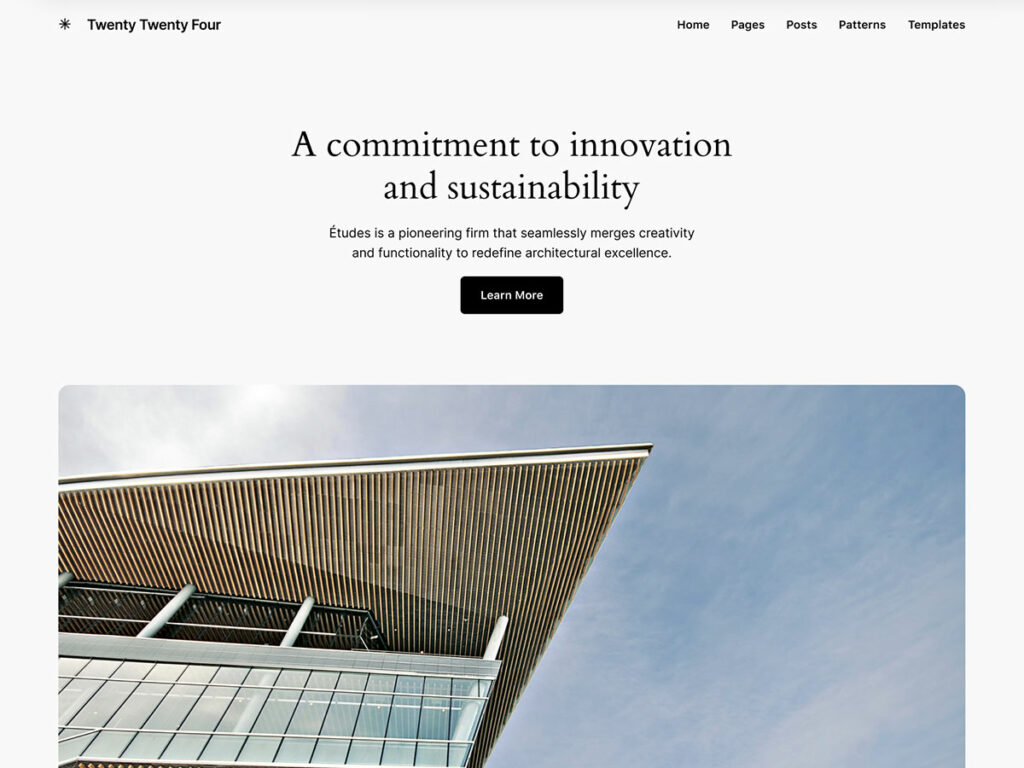
Twenty Twenty-Four is one of the best full site editing multi-purpose themes available. This well-designed, minimal WordPress theme can fit almost any website type.
It comes with multiple style variations, each offering a unique color scheme and typography pairing. You can build an eCommerce website with this theme, though the WooCommerce styles are basic. For a more advanced WooCommerce experience, we recommend Ona.
Twenty Twenty-Four includes 56 patterns designed for small businesses, photographers, artists, and bloggers. Despite its minimal appearance, it’s versatile enough to serve many different purposes.
Key features of Twenty Twenty-Four:
- 8 style variations
- 56 pre-built patterns
- Suitable for business, portfolio, eCommerce, or blog websites
- Clean, minimalist design
- Accessibility ready
Price: Free (included with WordPress core).
6. Bricksy
Best for: Lifestyle bloggers, travel, food, fashion, wedding sites
Bricksy by Anariel Design is a modern block theme that combines timeless design elements with contemporary layouts. It’s purpose-built for Full Site Editing with a drag-and-drop block pattern approach, making it especially popular among lifestyle bloggers.
The Pro version includes 110+ design patterns organized across four niche categories: Travel, Food, Fashion, and Wedding. You can mix and match patterns from different categories to create a truly unique site.
Bricksy offers 9 style variations including Dark, Green, Natural, Sage, and Sienna options. The theme is WooCommerce compatible and includes full header and footer builder capabilities through Global Styles.
What makes Bricksy unique is its niche-specific approach. Instead of offering generic patterns, each category is designed by professional designers who understand the specific visual needs of travel, food, fashion, and wedding websites. This means the patterns feel authentic and purpose-built rather than generic templates with different colors.
Key features of Bricksy:
- 110+ design patterns across 4 lifestyle niches (Pro)
- 9 style variations
- WooCommerce compatible
- Lightweight and mobile-first design
- Mix-and-match patterns across categories
Price: Free version available. Bricksy Pro starts at $69 per year. Lifetime license available for $188.
7. Tove
Best for: Restaurants, cafes, creative businesses
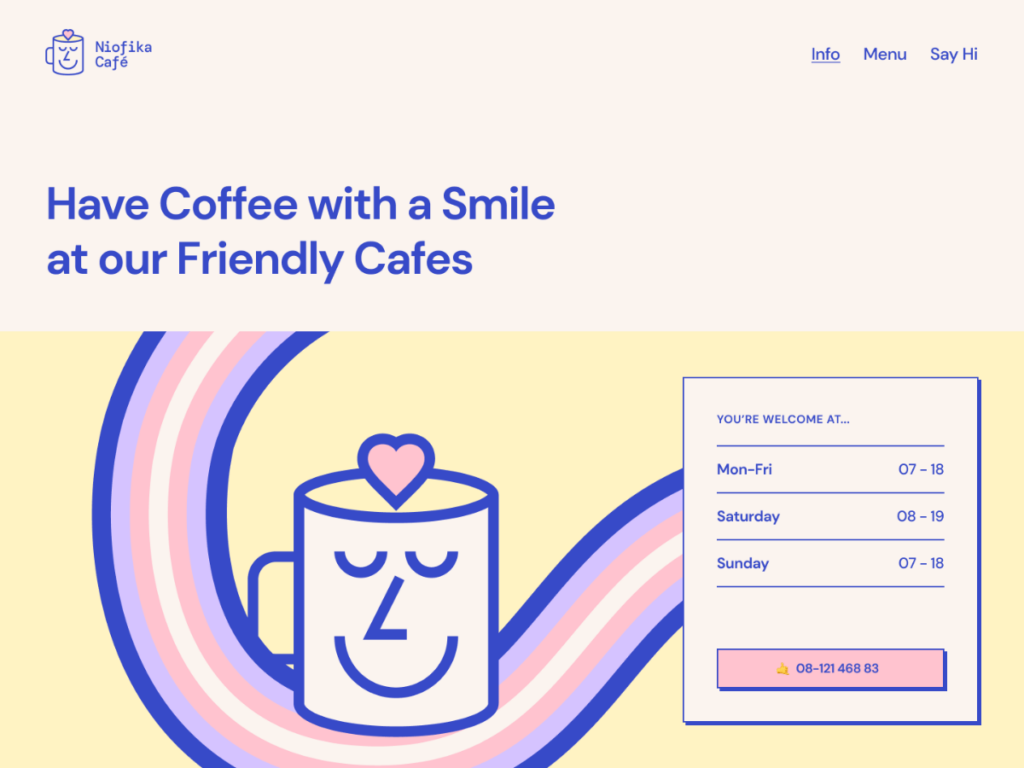
Tove is a creative block theme defined by its eccentric design and unique color palette. It lets you create a website that is both visually interesting and highly functional.
The theme excels in customization with options for adjusting site-wide settings like color and typography as well as individual block settings. Its standout feature is an extensive library of block patterns that give you flexibility to quickly construct pages while maintaining a cohesive design.
Tove is particularly well-suited for restaurants, cafes, and creative businesses that want a distinctive look without hiring a designer. The theme’s bold color choices and unique typography set it apart from the many minimalist block themes on this list.
While Tove doesn’t include WooCommerce-specific styling, it works well for service-based businesses that want to showcase their menu, portfolio, or team. The responsive design ensures your site looks great on mobile devices, which is important since over 60% of web traffic now comes from smartphones.
Key features of Tove:
- Unique, creative design aesthetic
- Extensive block pattern library
- Perfect for restaurant and cafe websites
- Fully responsive design
Price: Free.
8. Spectra One
Best for: Blogs, portfolios, small businesses
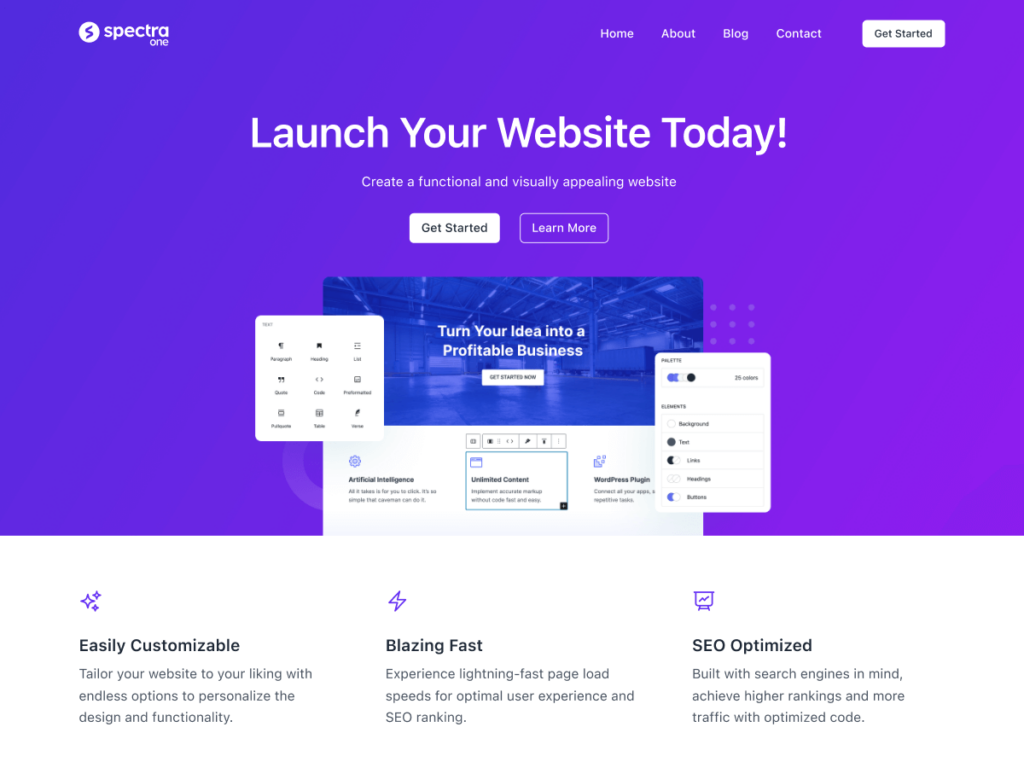
Spectra One (by the Brainstorm Force team behind Astra) is a block theme designed to deliver an optimal user experience without sacrificing aesthetic appeal. It combines sleek, minimalist design with extensive customization options.
The theme includes 9 color variations and WooCommerce-ready layouts. Its mobile responsiveness is particularly noteworthy, ensuring your website looks flawless on all devices. Spectra One integrates seamlessly with the Gutenberg editor and includes pre-designed block patterns for rapid page construction.
Whether you’re building a personal blog, an eCommerce site, or a corporate website, Spectra One offers the flexibility you need. It’s backed by the same team that builds Astra (the most popular WordPress theme with millions of installs), so you can expect reliable updates and compatibility.
Key features of Spectra One:
- 9 color variations
- WooCommerce ready
- Suitable for blogs, portfolios, and businesses
- Excellent mobile responsiveness
Price: Free.
9. Prime FSE
Best for: Multi-purpose business websites

Prime FSE by MotoPress is a free block theme designed for multipurpose business websites. It comes with 52+ patterns crafted with core WordPress blocks and the Getwid plugin, suitable for both minimalist and dynamic website designs.
You can choose from 5 color schemes to align with your brand identity. The theme includes a mega menu block for seamless navigation, and Getwid blocks enable you to create engaging and immersive content layouts.
Prime FSE was designed with fast page loading times and search engine visibility in mind, making it a solid choice for businesses that want good SEO performance out of the box. The Getwid blocks plugin adds extra functionality like advanced image sliders, progress bars, countdown timers, and pricing tables that you won’t find in core WordPress blocks.
If you need a free business theme with more built-in functionality than most competitors, Prime FSE delivers excellent value. The mega menu alone is a feature that many premium themes charge for.
Key features of Prime FSE:
- 52+ pattern designs made with core blocks and Getwid
- Mega menu optimized for FSE
- Free AI writing block included
- 5 color schemes
- SEO-optimized and lightweight
Price: Free.
10. Ollie
Best for: Portfolios, blogs, SaaS websites
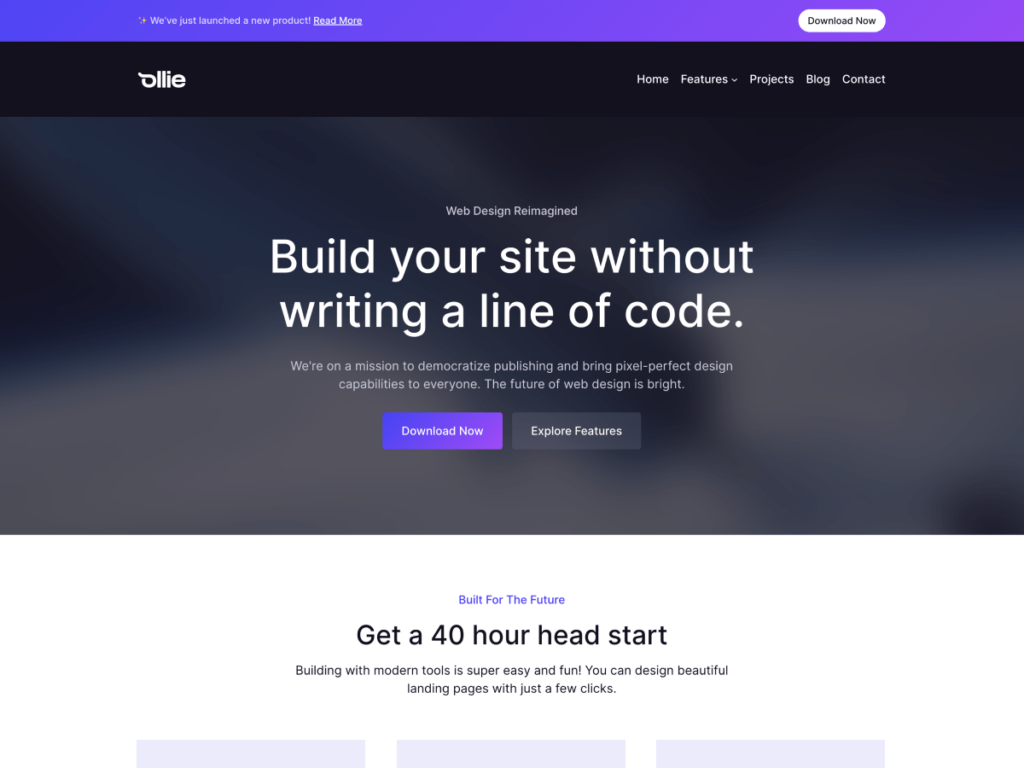
Ollie stands out with its modern, sophisticated design and an excellent onboarding experience. One of its standout features is the Ollie setup wizard, which walks you through the initial configuration and gives you a head start when creating a new website.
The theme offers robust and intuitive customization features, allowing you to tailor your website’s appearance to your exact specifications. Ollie includes a rich library of pre-designed block patterns that are easy to incorporate and maintain a uniform design throughout your site.
Ollie also offers video tutorials, making it one of the most beginner-friendly block themes available. The combination of a guided setup process and visual documentation means even complete beginners can build a professional-looking website without getting stuck.
The Pro version adds more pattern categories, additional style variations, and priority support. Whether you’re building a personal portfolio, a SaaS landing page, or a company blog, Ollie provides a polished foundation to work from.
Key features of Ollie:
- Onboarding setup wizard
- Video tutorials included
- Multiple color schemes
- Dozens of block patterns
- Great for portfolio and blog websites
Price: Free version available. Premium version with additional patterns and features also available.
11. Neve FSE
Best for: Web agencies, freelancers, small businesses
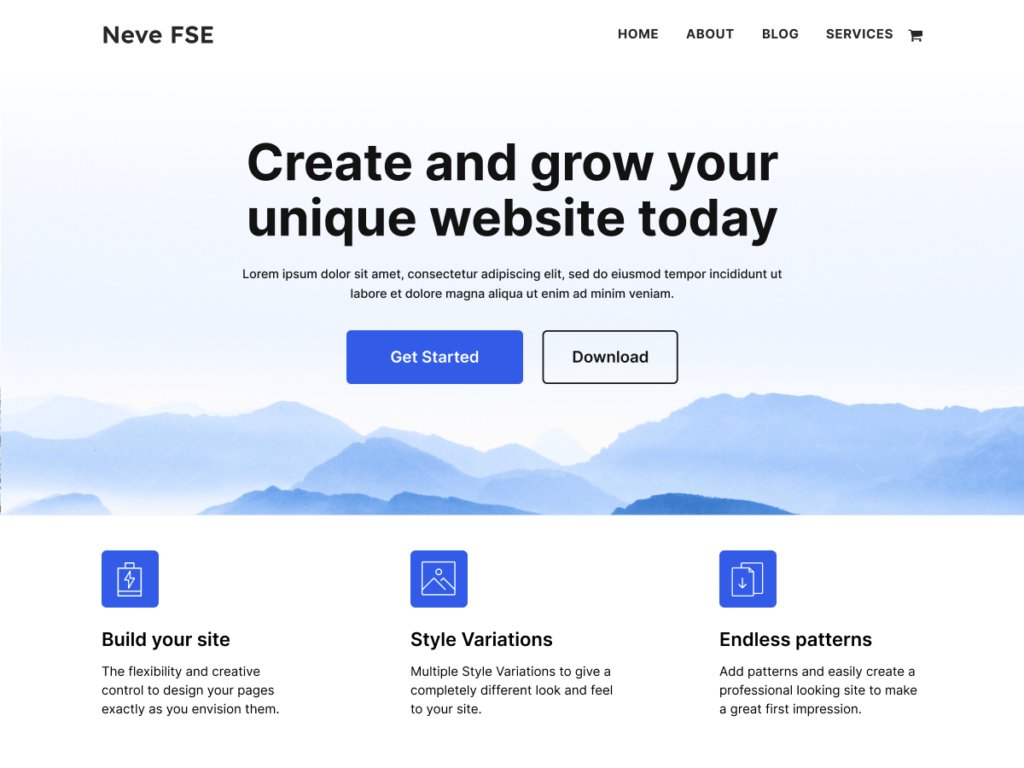
Neve FSE is the full site editing version of the popular Neve theme by Themeisle. It lets you easily customize the header, footer, and every component of your site using the block editor.
Designed for web developers, small business owners, agencies, and freelancers, Neve FSE is built for creating highly responsive websites. One of its standout features is the collection of pre-designed block patterns that are niche-specific and can be imported quickly to your website.
The theme supports RTL languages, multiple style variations, and includes a drag-and-drop header and footer builder. Since it’s backed by Themeisle (one of the largest WordPress theme companies), you can expect consistent updates and reliable long-term support.
If you’re already familiar with the original Neve theme and love its flexibility, Neve FSE gives you the same versatility with the added power of Full Site Editing. The transition is smooth, and the design quality matches what Neve users have come to expect.
Key features of Neve FSE:
- RTL and translation ready
- Multiple style variations
- Drag-and-drop header and footer builder
- Fully responsive layout
- Pre-designed niche-specific patterns
Price: Free version available. Premium features available through Neve Pro plans.
12. Raft
Best for: Multi-purpose websites
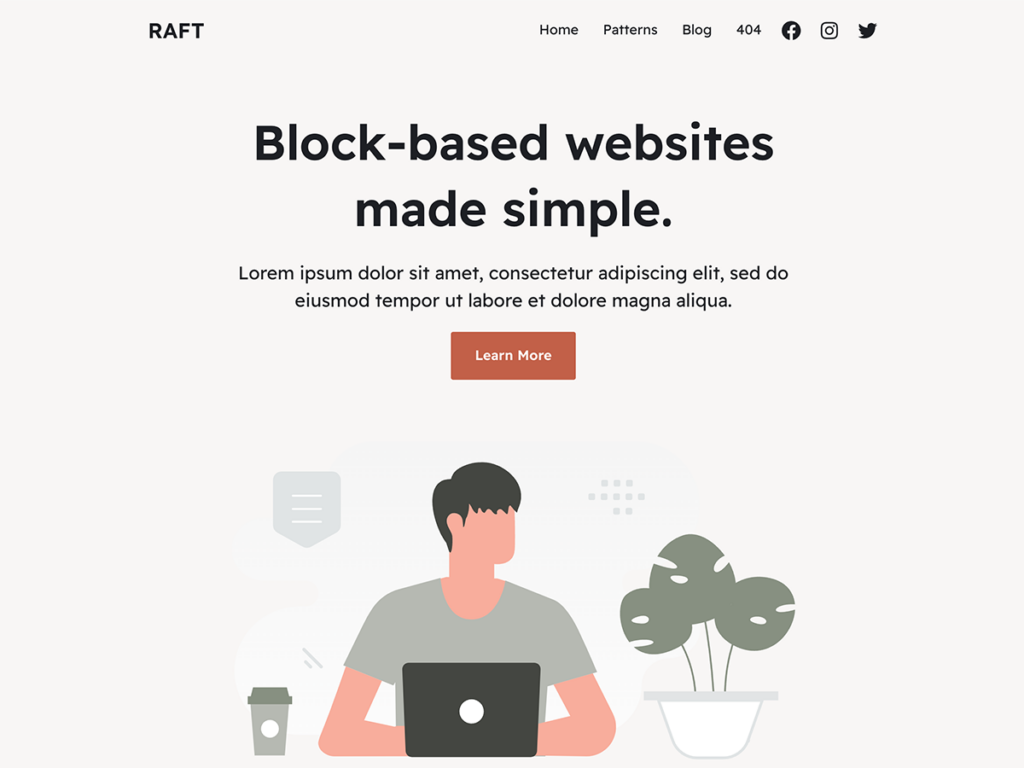
Raft (also by Themeisle) is a highly customizable and versatile block theme. With its intuitive design tools, you can easily build your site without any coding knowledge.
The theme integrates with popular plugins including WooCommerce for eCommerce and Yoast SEO for search engine optimization. It also works with the Otter Blocks plugin from the same developer, giving you additional block types and templates.
Raft offers multiple layout choices, customizable headers and footers, various color schemes, and RTL language support. It’s a solid all-rounder for anyone who needs a flexible block theme.
The Otter Blocks integration is a big plus. It adds advanced block types like accordions, tabs, product reviews, and form elements that go beyond what WordPress core blocks offer. This gives you more design options without adding the overhead of a full page builder.
Key features of Raft:
- Compatible with Otter Blocks plugin
- WooCommerce and SEO plugin compatible
- Pre-built block patterns
- Multiple color schemes
- RTL and translation ready
Price: Free.
13. Blockpress
Best for: WooCommerce stores, blogs, content-heavy sites
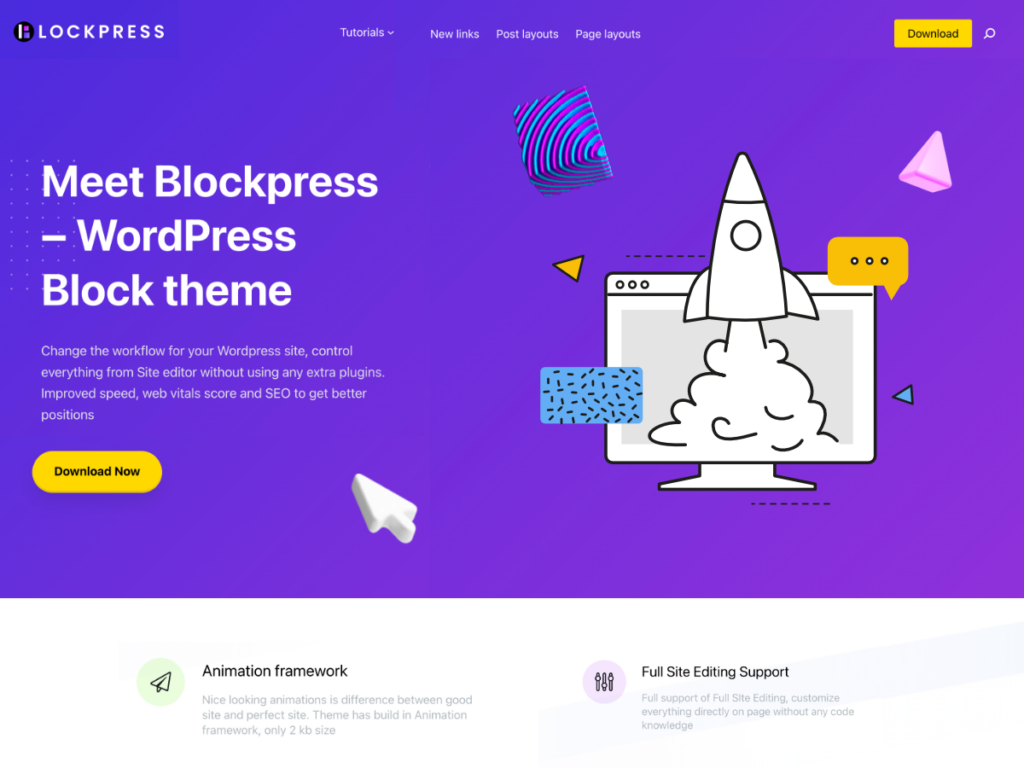
BlockPress is a powerful WordPress block theme built for users who value control and personalization. Every element on the page exists as an individual block that can be moved, customized, or removed according to your preference.
The standout feature is its 12+ query loop templates, which bring unmatched versatility to displaying posts and products. The theme includes a dark color scheme and font selector, pre-defined color schemes, and full WooCommerce compatibility.
BlockPress offers an extensive array of block patterns that push the boundaries of design flexibility. It’s an excellent choice for content-heavy websites and online stores. The query loop templates are particularly useful for news sites, blogs, and magazines that need to display posts in different formats across the site.
Key features of Blockpress:
- 12+ query loop templates
- Dark color scheme and font selector
- WooCommerce ready
- Pre-defined color schemes
- Extensive block pattern library
Price: Free.
14. Catch FSE
Best for: Corporate and business websites
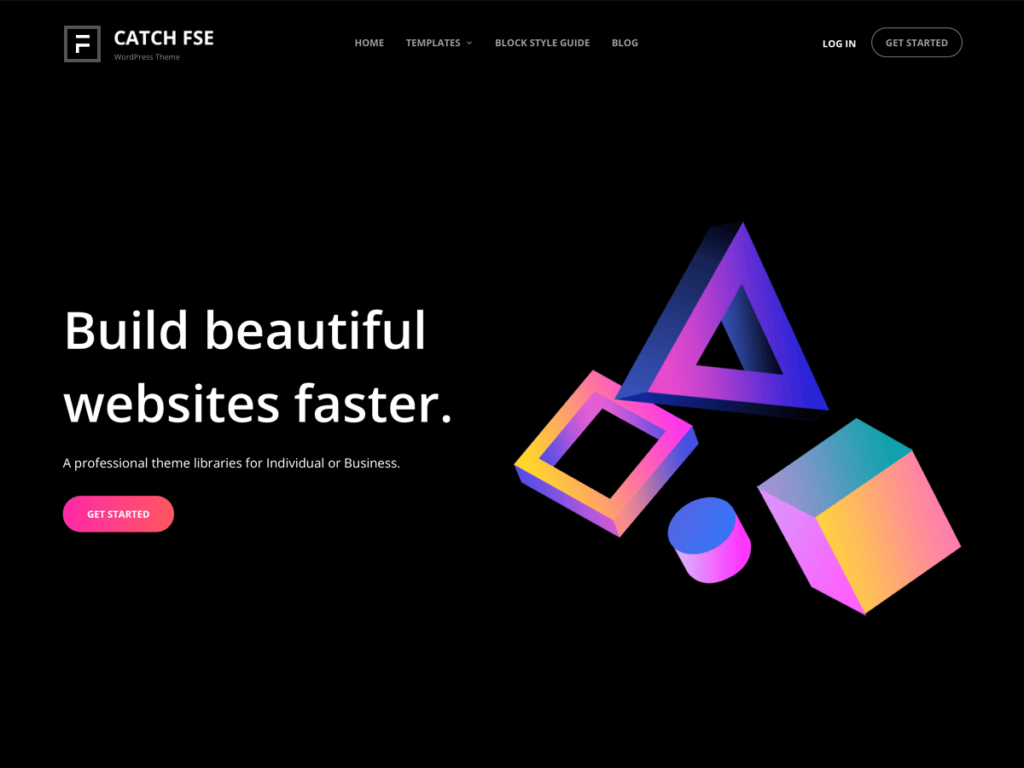
Catch FSE by Catch Themes is a block theme built around Global Styles and a comprehensive set of FSE templates. The Global Styles feature lets you make uniform design changes across your entire website with just a few clicks.
The theme includes 15 FSE templates and 9 template parts, giving you plenty of starting points for different page types. It’s available in both dark and light color schemes, providing flexibility to match your brand’s aesthetic.
What makes Catch FSE compelling for corporate users is the Global Styles feature. Instead of adjusting colors and fonts on individual pages, you can make site-wide changes from a single settings panel. This ensures brand consistency across your entire website with minimal effort.
Key features of Catch FSE:
- Global Styles feature for site-wide customization
- 15 FSE templates and 9 template parts
- Dark and light color schemes
- Mobile-responsive design
Price: Free.
15. Jaxon
Best for: WooCommerce stores, business websites
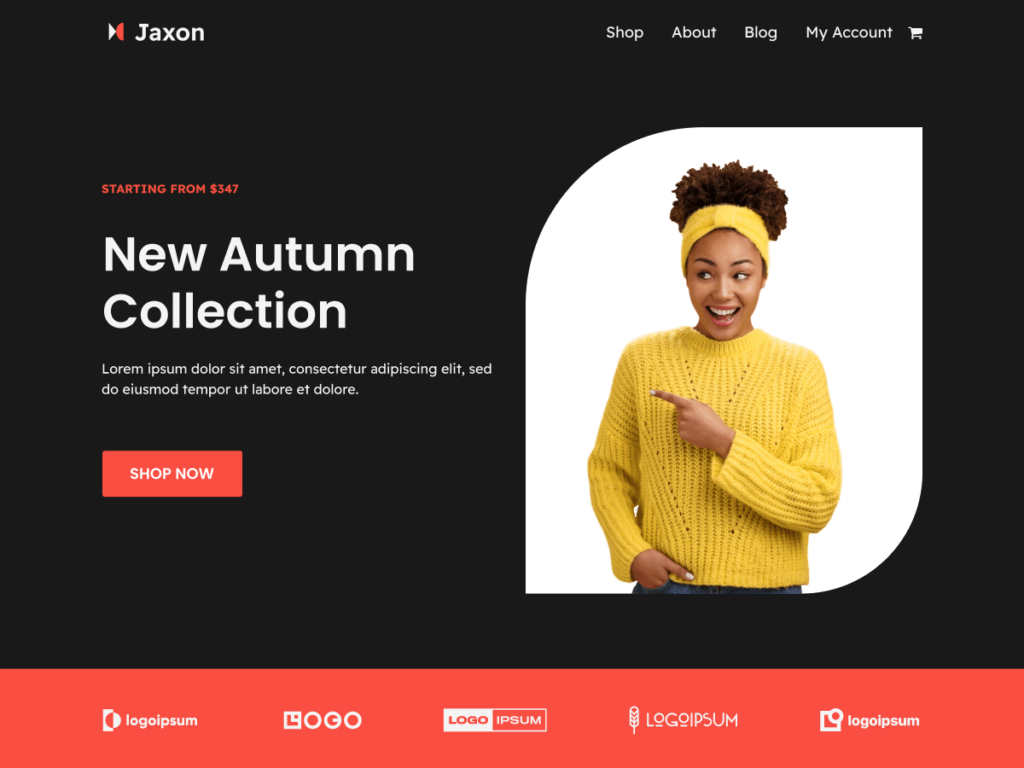
Jaxon is a well-rated block theme with a solid 5-star rating on WordPress.org. It includes block patterns for creating professional-looking pages quickly, full WooCommerce integration, and multiple style variations.
The theme offers multiple color schemes and font options, giving you the flexibility to align your website’s design with your brand identity. Jaxon is a great choice for businesses looking to set up an online store with a polished, professional appearance.
One thing that sets Jaxon apart is its consistently high user ratings. The 5-star rating on WordPress.org reflects a theme that delivers on its promises. It’s lightweight, well-coded, and receives regular updates to stay compatible with the latest WordPress releases.
Key features of Jaxon:
- 5-star rating on WordPress.org
- WooCommerce ready
- Multiple style variations
- Block patterns for rapid page building
- Multiple color schemes and fonts
Price: Free.
16. eStory
Best for: Blogs, online magazines
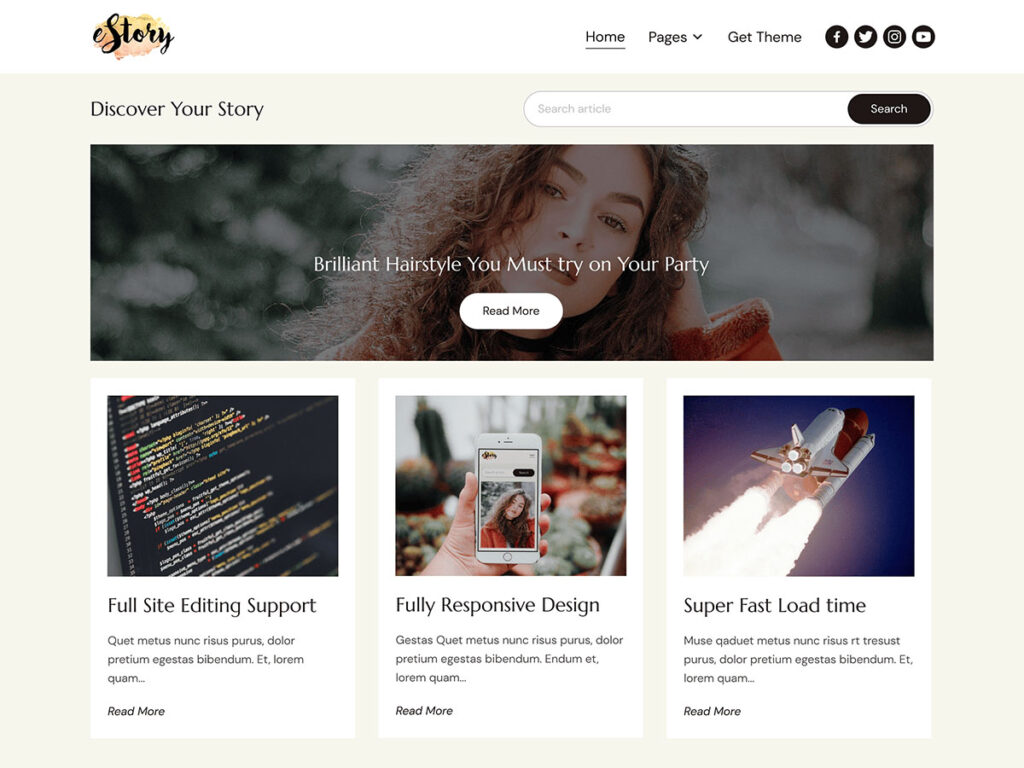
eStory is a block theme designed with speed, functionality, and aesthetics at its core. It comes with 25+ block patterns and three starter sites that provide quick starting points for different types of websites.
The theme is built for fast performance, which is crucial for user experience and search engine ranking. The starter sites give you a ready-made foundation that you can customize with your own content, colors, and branding in minutes rather than hours.
If you’re a blogger or online publisher looking for a lightweight, blog-focused block theme that doesn’t sacrifice aesthetics for speed, eStory is well worth considering.
Key features of eStory:
- 25+ block patterns
- 3 starter sites
- Built for fast performance
- Blog and magazine focused
Price: Free.
17. Inspiro Blocks
Best for: Photographers, videographers, creatives
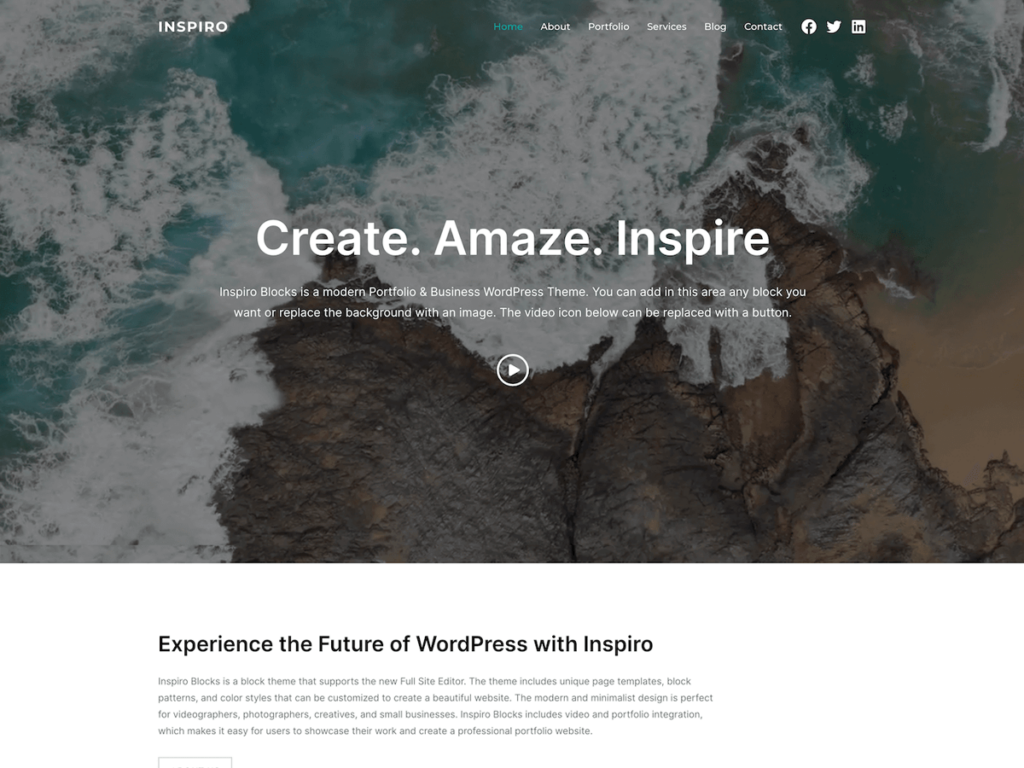
Inspiro Blocks is the full site editing version of the popular Inspiro WordPress theme. It’s a perfect fit for bloggers, photographers, and creatives who want to showcase visual content.
The theme provides 6 style variations and 20+ block patterns for creating captivating visual layouts. It’s fully GDPR-compliant, ensuring your site aligns with data privacy standards. Inspiro Blocks is also built for speed and performance, making it excellent for image-heavy websites.
For photographers and videographers who want to showcase their work in a clean, professional gallery layout, Inspiro Blocks is one of the best options. The patterns are specifically designed for visual content, with full-width image sections, gallery grids, and portfolio displays that make your work the focal point.
Key features of Inspiro Blocks:
- 6 style variations
- 20+ block patterns
- Perfect for photographers and creatives
- Fully GDPR-compliant
- Optimized for speed
Price: Free.
18. Björk
Best for: Minimalist blogs, creative portfolios
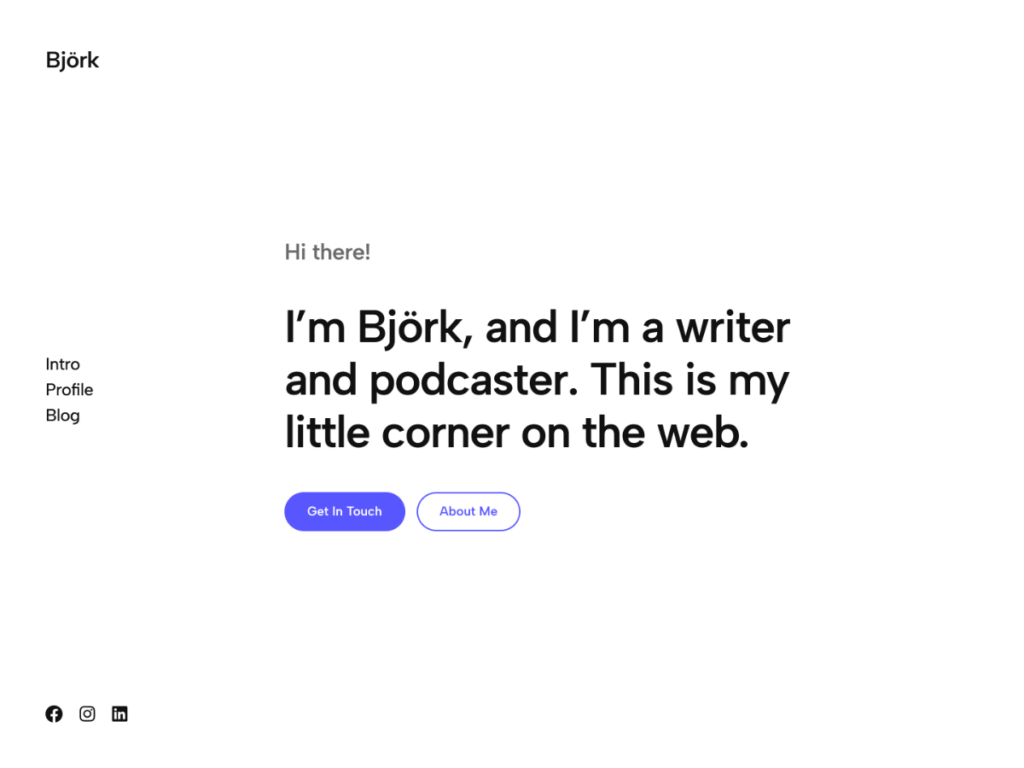
Björk stands out with its clean, minimalist design and a unique vertical header navigation. This sidebar-style layout provides an intuitive, easy-to-navigate interface that gives your site a distinctive look.
The theme includes a variety of customizable patterns and 8 style variations. Björk is lightweight and designed for speed, making it a great choice for minimalist blogs and portfolios that prioritize fast loading times.
The vertical navigation is especially popular among photographers, artists, and designers who want their site to feel more like a gallery than a traditional website. If you’re looking for a block theme that breaks away from the standard top-navigation layout and offers something more creative, Björk is one of the most distinctive options available.
Key features of Björk:
- Unique vertical header navigation
- Clean, minimalist design
- 8 style variations
- Lightweight and fast
Price: Free.
19. Aino
Best for: Creative portfolios, design agencies
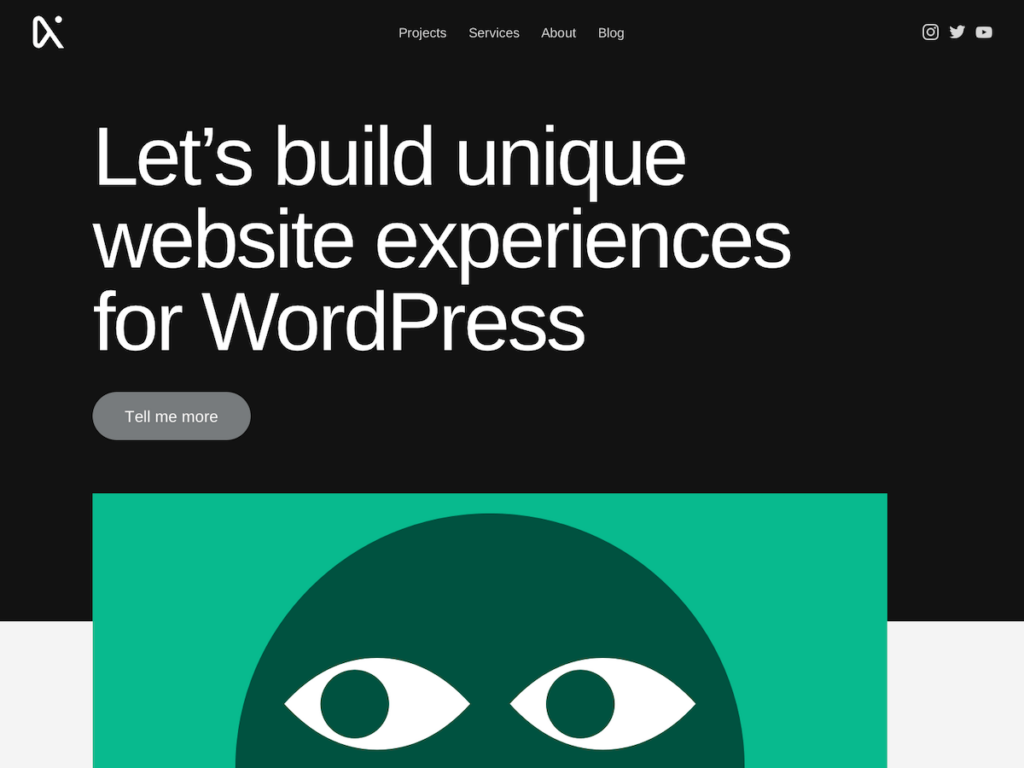
Aino is a free block theme built around user-friendliness and minimalist aesthetics. It offers easy customization with a variety of layout choices, typography options, and a broad color palette.
The theme includes well-designed, versatile block patterns that make it easy to create complex layouts without advanced technical skills. It also integrates with the Aino Blocks plugin for additional block types and WooCommerce for eCommerce functionality.
Aino’s strength lies in its focus on creative presentation. If you’re a designer, artist, or creative professional looking for a block theme that enhances rather than overshadows your work, Aino’s clean aesthetic makes it an excellent canvas for your content.
Key features of Aino:
- Versatile block patterns
- WooCommerce integration
- Compatible with Aino Blocks plugin
- Minimalist, user-friendly design
Price: Free.
How to Choose the Right Block Theme
With so many great block themes available, here’s a simple framework for choosing the right one:
Consider Your Website Type
- Blog or personal site: Look for themes with strong typography and reading-focused layouts. Twenty Twenty-Five, Frost, and eStory are excellent choices.
- Business website: Choose themes with professional patterns, service pages, and contact sections. Ona, Kadence, and Prime FSE work well here.
- Online store: WooCommerce compatibility is essential. Ona, Kadence, and Blockpress offer the strongest eCommerce features.
- Portfolio or creative site: Look for visually distinctive themes with gallery patterns. Inspiro Blocks, Björk, and Aino are great options.
- Restaurant or cafe: Tove is specifically designed for food-related businesses with matching patterns.
Free vs. Premium
Free block themes are great for getting started and can work well for simple sites. However, premium themes typically offer more patterns, better WooCommerce integration, dedicated support, and regular updates. If your website is a key part of your business, investing in a premium theme is usually worth it.
Performance Matters
A beautiful theme that loads slowly will hurt your search rankings and drive visitors away. Block themes are generally faster than classic themes with page builders, but some are more optimized than others. Test the theme’s demo site with Google PageSpeed Insights before committing.
Check the Pattern Library
The number and quality of block patterns can make or break your experience with a theme. A theme with 100+ well-designed patterns will save you hours of design work compared to one with only a handful. Preview the patterns before installing to make sure they match your design vision.
Look for Active Development
WordPress evolves rapidly, and your block theme needs to keep up. Check the theme’s last update date on WordPress.org. Themes that are updated regularly will be compatible with the latest WordPress features and security patches. Themes that haven’t been updated in over 6 months may cause compatibility issues.
Also check the support forums. A responsive developer who actively answers questions is a good sign that the theme will be maintained long-term.
Test Before You Commit
Most themes offer live demos you can explore. Take advantage of these to test the user experience, check mobile responsiveness, and evaluate loading speed. Install your top 2-3 candidates on a staging site and spend time customizing each one before making your final decision. The time invested upfront will save you from having to switch themes later.
Benefits of Block Themes
Block themes for full site editing benefit various user groups:
- WordPress Users: Block themes give you complete control over your website design. You can customize headers, footers, templates, and every page section without writing any code.
- Web Developers: Block themes streamline your workflow. You can build client sites faster using patterns and style variations, while still having access to theme.json for fine-grained control.
- Small Business Owners: Create professional websites that represent your brand without hiring a developer. Block themes make it possible to build and maintain a great-looking site on your own.
- Bloggers: Focus on your content while the theme handles the presentation. Block themes make it easy to create visually appealing layouts that keep readers engaged.
- eCommerce Store Owners: Block themes with WooCommerce support let you create beautiful product pages and shop layouts without relying on additional page builder plugins.
- Agencies and Freelancers: Block themes speed up client projects significantly. With patterns and style variations, you can deliver professional websites in less time. And since block themes use standard WordPress features, clients can easily manage their own content after handoff.
Beyond individual user benefits, block themes represent the future direction of WordPress. As WordPress core continues to develop FSE capabilities, block themes will gain new features and improvements automatically. By choosing a block theme today, you’re investing in a platform that will only get better over time.
Frequently Asked Questions
What is a WordPress block theme?
A WordPress block theme is a theme built entirely with blocks and designed to work with the Full Site Editor. Unlike classic themes that use PHP template files and the Customizer, block themes use HTML-based templates, the theme.json configuration file, and block patterns. This allows you to customize every part of your site, including headers, footers, and templates, using the familiar block editor.
Can I switch from a classic theme to a block theme?
Yes, you can switch from a classic theme to a block theme. However, you may need to rebuild some of your content, since block themes use a different architecture than classic themes. Your posts and pages will carry over, but custom headers, footers, widget areas, and Customizer settings will need to be recreated in the Site Editor. We recommend setting up the new block theme on a staging site first before switching on your live site.
Are block themes SEO-friendly?
Yes, block themes are designed with SEO best practices in mind. They generate clean, semantic HTML markup and typically load faster than classic themes with page builders. Faster loading times improve your Core Web Vitals scores, which is a Google ranking factor. Block themes also work well with SEO plugins like RankMath and Yoast SEO.
Do block themes work with popular plugins?
Most block themes are compatible with popular plugins including WooCommerce, RankMath, Yoast SEO, Contact Form 7, and more. However, some older plugins that rely on shortcodes or widgets may not integrate as smoothly with block themes. Always check plugin compatibility before switching themes.
What is the best block theme for WooCommerce?
For WooCommerce stores, we recommend Ona, Kadence, or Blockpress. Ona offers the most complete WooCommerce integration with 14 child themes including dedicated eCommerce layouts, product page patterns, and shopping cart styling. Kadence also provides deep WooCommerce integration with product galleries and shop-optimized templates.
Are block themes faster than classic themes?
Generally, yes. Block themes don’t load heavy page builder scripts, jQuery dependencies, or large CSS frameworks that many classic themes require. This results in smaller page sizes and faster loading times. However, performance also depends on your hosting, plugins, images, and content. A well-optimized block theme can easily achieve 90+ scores on Google PageSpeed Insights.
What is the best block theme for beginners?
For beginners, we recommend starting with Twenty Twenty-Five (the official WordPress default theme) or Ollie. Twenty Twenty-Five is free, included with WordPress, and designed to showcase Full Site Editing capabilities. Ollie includes a setup wizard and video tutorials that walk you through the initial configuration. Both themes have excellent documentation and active community support.
How to Get Started with a Block Theme
Ready to switch to a block theme? Here’s a step-by-step guide to get started:
Step 1: Choose Your Theme
Use the comparison table above to narrow down your options based on your website type, budget, and feature requirements. Install your top 2-3 candidates on a staging site or local development environment to test them before going live.
Step 2: Install and Activate
Go to Appearance > Themes > Add New in your WordPress dashboard. Search for the theme by name, click Install, then Activate. For premium themes, download the ZIP file from the developer’s website and upload it through the Upload Theme button.
Step 3: Explore the Site Editor
Navigate to Appearance > Editor to open the Full Site Editor. Here you can customize your site’s templates, template parts (like headers and footers), styles, and patterns. Start by choosing a style variation that matches your brand, then customize colors and typography to fine-tune the look.
Step 4: Build Your Pages with Patterns
When creating or editing a page, click the block inserter (+) and browse the Patterns tab. You’ll find pre-designed sections that you can add to your pages with one click. Arrange multiple patterns to build complete page layouts without designing anything from scratch.
Step 5: Customize and Launch
Once you’ve set up your pages and navigation, review your site on mobile and desktop to make sure everything looks good. Install essential plugins (SEO, forms, security), set up your navigation menus, and you’re ready to go live.
The entire process of setting up a block theme and building a basic website can be done in an afternoon. With a premium theme like Ona that includes a setup wizard and one-click demo import, it can take as little as 30 minutes.
Final Thoughts
WordPress block themes have opened up endless possibilities for website design and customization. With their ease of use, deep customization, block-based design, and impressive performance, these themes empower everyone from beginners to experienced developers to create professional websites.
If you’re building a new WordPress site in 2026, choosing a block theme is the smart move. You’ll get better performance, future-proof compatibility with WordPress core updates, and a more intuitive design experience than traditional themes can offer.
The WordPress block editor has improved dramatically over the past few years. Features like Global Styles, style variations, synced patterns, and the revamped Site Editor have turned Full Site Editing from an experimental feature into a mature, production-ready design system. Every major WordPress release adds new capabilities that make block themes even more powerful.
Our top recommendation is Ona for its unmatched combination of 145+ patterns, 14 child themes, WooCommerce integration, and clean design. For a free option, Twenty Twenty-Five is the best starting point, especially for beginners.
We encourage you to explore the themes in this list and experiment with different options to find the perfect fit for your project. The best way to evaluate a block theme is to install it, explore the patterns, and try customizing it in the Site Editor. Most free themes can be installed directly from your WordPress dashboard in under a minute.
Have questions about choosing a block theme? Let us know in the comments below. We’re happy to help you find the right theme for your specific project.
If you enjoyed this guide, check out our other resources:
- WordPress Full Site Editing Guide
- Best Themes for Elementor
- Fastest WordPress Themes
- Best WooCommerce Themes
- Best Free WordPress Magazine Themes
- Best Free WordPress Themes for Bloggers
- Best WordPress Themes for Digital Agencies
- WordPress Theme Detector
- Best Dark WordPress Themes
- How to Find What WordPress Theme a Website Is Using
Looking for the fastest themes specifically? See our 15 fastest WordPress themes ranked by PageSpeed Insights and Pingdom scores.